
 Kontakt
 Wie einkaufen

Versand
Kaufberater
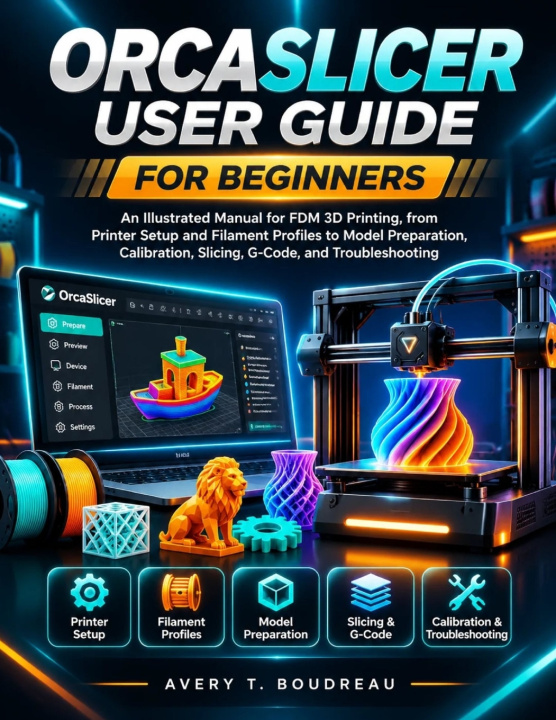
ORCASLICER USER GUIDE FOR BEGINNERS
An Illustrated Manual for FDM 3D Printing, from Printer Setup and Filament Profiles to Model Preparation, Calibration, Slicing, G-Code, and Troubleshooting
 Englisch
 52 b
 Neu
 Wir liefern bis Weihnachten ▾
Externes Lager
Wir versenden in 9-13 Tagen
Bis zu 30 Tage Rückgaberecht

What would change if you could understand not just how to slice a 3D model, but how to make informed decisions about everything that happens before it becomes a finished print?
This illustrated, step-by-step guide brings together the practical knowledge needed to use OrcaSlicer with greater confidence, from your first printer configuration and model preparation to calibration, advanced slicing, multi-colour printing and troubleshooting.
Whether you are completely new to slicing software, moving from Cura or PrusaSlicer, or looking to get more out of an existing FDM printing setup, you will find a structured approach to understanding the tools, settings and workflows that influence your results.
Inside, you will discover how to:
- Configure printer, filament and process profiles for compatible FDM machines.
- Import, position, scale, rotate, repair, split and arrange 3D models across multiple build plates.
- Understand layer height, wall loops, infill, shells, seams, supports, bridging and surface finishing.
- Perform temperature, flow ratio, Pressure Advance, retraction and maximum volumetric speed calibration.
- Explore advanced motion calibration, including Input Shaping, VFA and adaptive features where supported.
- Prepare multi-colour projects using filament assignments, Color Painting, prime towers and flushing management.
- Inspect sliced layers, understand toolpaths, export G-code and investigate common printing defects.
- Back up, organise and recover important custom profiles and project configurations.
But the real value goes beyond knowing where these settings are located.
You will develop a better understanding of why a print behaves differently when a setting changes, how to recognise the possible causes of common defects, and how to approach adjustments without relying entirely on guesswork.
From improving first-layer adhesion and reducing stringing to managing support structures, refining surface quality, controlling material usage and preparing functional components, the guide connects software settings with the physical results they are intended to produce.
You will also have practical resources to work with beyond the main chapters:
- Illustrated software explanations and technical comparisons.
- Calibration worksheets and result-recording tables.
- Filament and printing reference information.
- Pre-print preparation and final inspection checklists.
- Troubleshooting guides for common printing problems.
- Custom profile backup and recovery checklists.
- A progressive 30-day practical OrcaSlicer training plan.
Who is this guide for?
First-time 3D printer owners, hobbyists, makers, product designers, engineers, workshop users and small-business owners who want to develop a better understanding of FDM printing and the software used to prepare their projects.
You can begin with the fundamentals and gradually explore more advanced techniques as your experience develops. You do not need to master every calibration method or specialised feature before getting started.
The aim is to help you understand the complete journey from a digital model to a prepared, inspected and printable file, while building skills you can continue applying as your projects become more demanding.
Scroll back to the top of this page and click the Buy Now button to get your copy and start developing a more informed and repeatable OrcaSlicer workflow.


Informationen zum Buch
Englisch

Verschenken Sie dieses Buch noch heute
Es ist ganz einfach
1 Legen Sie das Buch in Ihren Warenkorb und wählen Sie den Versand als Geschenk 2 Wir schicken Ihnen umgehend einen Gutschein 3 Das Buch wird an die Adresse des beschenkten Empfängers geliefertHallo! Ich bin Libroamiko, dein Buchberater.
Wie kann ich dir helfen?