
 Kontakt
 Wie einkaufen
Versand
Kaufberater
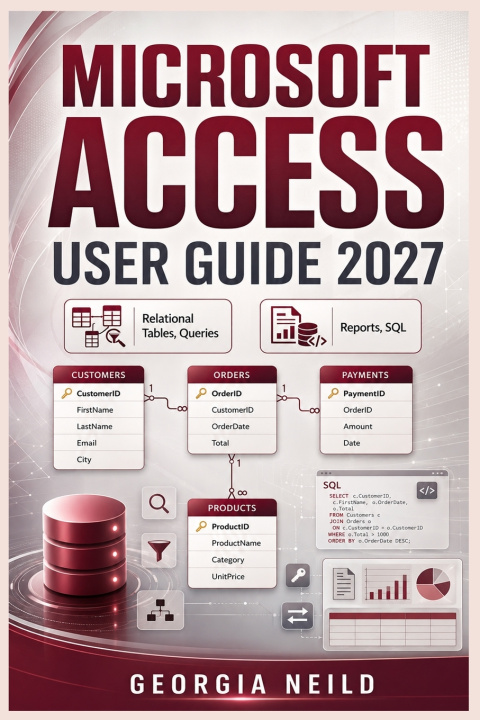
Microsoft Access User Guide 2027
Beginner Database Training for Relational Tables, Queries, Forms, Reports, SQL, Macros, VBA, Validation, Imports, Exports, Spreadsheet Migration, Automation
 Englisch
 42 b
42 b
 Neu
Neu
Bis zu 30 Tage Rückgaberecht

Turn scattered spreadsheets and information into organized, reliable databases with Microsoft Access.
Microsoft 365 Access Guide for Beginners is a practical, step-by-step manual for anyone who wants to understand relational databases and use Microsoft Access with confidence. Whether you are completely new to databases, moving beyond Excel spreadsheets, managing business records, or looking for a detailed Access reference, this guide takes you from the fundamentals to powerful real-world database solutions.
Instead of overwhelming you with theory, the book focuses on practical database work. You will learn how to plan a database properly, organize information into related tables, reduce duplicate data, enforce accurate data entry, retrieve exactly the information you need, create professional forms and reports, and automate repetitive tasks.
Using clear explanations, guided procedures, examples, and hands-on practice, you will learn how the different parts of Access work together to create dependable database applications.
Inside this guide, you will learn how to:
Understand Microsoft Access and the principles of relational databases
Decide when Access is a better choice than Excel
Plan databases before creating tables or entering data
Build well-structured tables with appropriate fields and data types
Create primary keys, indexes, relationships, and junction tables
Apply normalization to reduce duplication and improve data integrity, default values, and validation rules
Import, link, clean, and export data from Excel, CSV, text files, and other sources
Move spreadsheet-based information into a more structured Access database
Build select, parameter, totals, date, calculation, and action queries
Search for duplicates, unmatched records, missing values, and specific criteria
Write and understand Access SQL, including SELECT, WHERE, JOIN, GROUP BY, HAVING, UNION, and subqueries
Create user-friendly forms for controlled data entry and navigation
Build professional reports with sorting, grouping, calculations, summaries, and print-ready layouts
Use expressions and functions for text, dates, calculations, conditions, and data handling
Automate routine database tasks with Access macros
Work with SQL Server, Azure SQL, ODBC, SharePoint, and other connected data sources
Design databases for multiuser and workgroup environments
Maintain, secure, troubleshoot, back up, and deploy Access databases more safely
Diagnose common problems involving tables, queries, forms, reports, links, imports, and database performance
The book develops a practical database progressively, helping you see how tables, relationships, queries, forms, reports, calculations, and automation connect rather than treating them as unrelated features.
It is especially useful for:
Complete beginners learning Access for the first time
Excel users who have outgrown large or complicated spreadsheets
Small-business owners managing customers, appointments, payments, inventory, or operations
Office administrators and project coordinators
Students learning relational database concepts
Analysts who need structured data-entry and reporting systems
Professionals maintaining departmental or workgroup databases
Experienced Access users who want a detailed reference for everyday database tasks
Helpful appendices also provide quick-reference material for keyboard shortcuts, data types, field properties, query criteria, wildcards, SQL statements, expressions, functions, import and export formats, troubleshooting, and database design.
You do not need previous database-development experience. Start with the fundamentals, follow the practical exercises, and build your skills one step at a time.
Move beyond scattered spreadsheets. Build structured data. Create useful databases. Work with Microsoft Access with greater confidence.


Informationen zum Buch
Englisch
